Tax Document Organization Basics for Your Annual Filing
If tax season feels chaotic, a simple personal tax folder system can turn scattered W‑2s, 1099s, receipts, and statements into an organized annual checklist. This guide walks through practical steps for structuring files, using digital storage, and tracking deadlines with a calendar.
Why Organizing Tax Documents Matters
Tax document organization basics are about having a clear system so your personal tax records are easy to find and update. When you keep pay stubs, W-2s, 1099s, bank statements, and other tax papers in one place, you lower the chance of missing income or deductions when you file. A simple personal tax folder system, whether physical or digital, supports accurate tax filing by helping you match information reported to the tax authorities with what you enter on your return. This reduces avoidable errors, like overlooking interest income or forgetting a key form, and makes it easier to respond if questions come up later about a specific year.
Being organized also makes tax season less stressful. Instead of searching through drawers and email at the last minute, you can open the folder or secure digital location that holds everything for the year and confirm that you have what you need. Good recordkeeping creates a timeline of your financial life, which can be useful if you amend a return, apply for a loan, or handle an audit or notice. Clear, consistent organization means you spend less time tracking down documents and more time calmly reviewing them, which supports more confident decisions about how you file and any follow-up you may need.
Building a Personal Tax Folder System
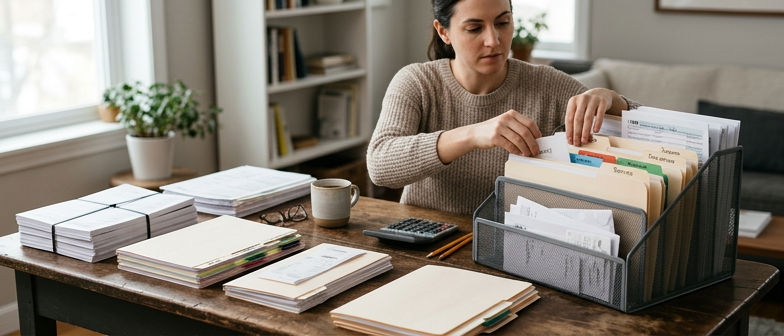
A simple personal tax folder system puts tax document organization basics into practice by giving every record a clear home. Create one main folder for the current tax year, then divide it into subfolders for income, deductions and credits, and supporting documents. This structure can be used in a physical file box or adapted to digital tax file storage, as long as the labels stay consistent from year to year.
For income records, keep wage and salary forms such as W‑2s in one place and non‑employee or investment income in another. Group 1099 forms, bank statements, and brokerage reports together so all income details are easy to review. In a separate section, store receipts and statements for deductible items, including mortgage and student loan interest, charitable giving, and medical or childcare expenses. Having these documents organized by category makes it easier to see what is available and what is missing when you work through your annual tax document checklist.
To keep the system manageable, mirror your paper folders with a matching digital layout. Create a tax folder on your computer or in a secure cloud account, and add subfolders with the same names you use for your physical files. Scan or photograph important receipts, year‑end statements, and tax notices, then save them with file names that show the tax year and document type. Combining paper and digital records lowers the chance of misplacing information and makes it easier to store and retrieve prior‑year data when preparing future returns.
| Core Folder | Key Subfolders | Primary Use | Best For | Organization Level |
|---|---|---|---|---|
| Main Tax Year Folder | Income, Deductions, Supporting Docs | Central home for all records | Most individual filers | High |
| Income Records | W-2, 1099, Bank & Brokerage | Track all taxable income | Employees and investors | High |
| Deductions & Credits | Interest, Giving, Medical, Childcare | Group potential tax benefits | Households with varied expenses | Medium to High |
| Supporting Documents | Tax Notices, Year-end Statements | Clarify entries and adjustments | Filers using preparers or software | Medium |
| Digital Tax File Storage | Mirrored Year, Income, Deduction folders | Backup and easy retrieval | Users comfortable with cloud tools | High |
Organizing W-2s, 1099s, and Other Income Forms
Within a personal tax folder system, keep all income documentation together so it matches your annual tax document checklist. Create a main income folder for the year with subfolders for wages, self-employment, and investment income. Place W-2 forms in the wages section, grouped by employer and year, and put 1099 forms and similar statements in the subfolder that fits how you earned the income. Use consistent naming that includes the tax year and income type on each file or envelope to confirm you have the necessary forms before you start your return.
For digital tax file storage, scan paper W-2s and 1099s or save electronic copies into the same structure you use for physical folders. Use clear file names that match your reminders and any checklist you rely on to track expected income forms, reducing the chance of overlooking a source. Keep these files in a secure location, and avoid mixing documents from different years so each tax season’s records stay separate.
Digital Tax File Storage and Backup Practices
Storing tax documents digitally is easier when you follow a clear personal tax folder system. Create a main folder for each tax year, then subfolders for income records, deduction and credit documents, and confirmations from your tax software or preparer. Use consistent file names that include the tax year, document type, and issuer so forms, receipts, and statements are simple to tell apart. Keeping the same structure every year supports long‑term recordkeeping and reduces the chance that key items are misplaced.
When you move paper records into digital tax file storage, scan at a legible resolution and save files in common formats that open easily across devices. For receipt recordkeeping, group files by category such as medical costs, charitable gifts, or business expenses while keeping them within the correct tax year folder. Add the date and a brief note to each file name or use the storage system’s comments so you can quickly see why a receipt was saved without needing extra software.
Security and backup routines are essential to any digital system for tax records. Use reputable cloud services or encrypted drives for sensitive information, and protect access with strong, unique passwords and updated security settings. Keep at least one backup copy stored separately from your main device to guard against loss or damage. Review these folders each year, trim duplicate files, and retain required records for the recommended period so your tax documents stay organized and reliable.
Managing Digital Copies of Receipts and Statements
Strengthen receipt recordkeeping by turning paper documents into clear digital images and storing them in a dedicated tax folder system. Scan or photograph receipts, bank statements, and other deduction support documents, then name each file with the date, vendor, amount, and type of expense so it is easy to recognize during tax season. Keeping all tax-related files in one digital tax file storage location, such as a secure cloud drive or encrypted folder, reduces the chance that important records will be misplaced when you prepare your return.
To keep digital copies linked to the right tax records, mirror your paper setup by creating subfolders for categories like income, deductions, and credits within your personal tax folder system. Place scanned receipts and statements in the matching category and add brief notes in the file name or inside the document about how you expect the item to be used for tax reporting. Reviewing these folders periodically confirms that each digital receipt or statement is readable and in the correct location, so organized documents are ready when you or a tax preparer need them.
Using Checklists and Calendars for Tax Season
A simple checklist and calendar turn tax document organization basics into a predictable routine instead of a last‑minute scramble. An annual tax document checklist summarizes the forms and records you expect, such as wage statements, investment summaries, and proof of deductions. Keeping this list with your personal tax folder system gives you one place to track what has arrived and what is still missing, so you can see whether you have enough information for an accurate return or need to request copies.
To build a yearly tax document checklist that fits your situation, start with the forms you regularly receive, including W‑2s from employers and 1099s for freelance work, interest, or dividends. Add items that support credits and deductions, such as receipts for charitable giving, child care, or eligible education expenses. As documents come in, mark the checklist and move each item into your paper or digital tax file storage, linking incoming mail, email statements, and downloaded files to your overall system.
A tax deadline calendar complements the checklist by showing when actions need to happen. Note standard filing dates, any estimated tax payment due dates, and reminders to request missing forms or sort receipts. You can keep the calendar in a planner, on a wall, or in a digital calendar with alerts that sync to your phone. When the calendar and checklist work together, you can see what you have and what you still need, and move through tax season in steady steps instead of rushing near the deadline.
Q&A
-
What are the basics of organizing tax documents for an individual filer?
Keep everything in one system by year. For each tax year, group income forms, deduction records, and confirmations from your tax filing, so you can quickly match them to your return. -
What should be on an annual tax document checklist?
Include W-2s, all 1099s, investment and bank statements, records of deductible expenses, and a copy of last year’s return. Check items off as they arrive before filing. -
How should I organize W-2 and 1099 forms?
Store W-2s together by employer and year, and sort 1099s by type of income, such as freelance work or interest. Use file names or labels that clearly show the tax year and income source. -
What is a practical setup for digital tax file storage?
Create one main folder per tax year with subfolders for income, deductions, and filing confirmations. Back up the folder to a secure cloud or encrypted drive to reduce the risk of loss. -
How can a personal tax folder system and calendar help with deadlines?
Use a folder for each tax year plus a calendar noting key IRS dates. As you add documents to the folder, mark the calendar with tasks like estimating taxes or scheduling time to file.