How Regular Software Updates Strengthen Everyday Device Security
A calm, consistent home device update routine can keep everyday tech safer without turning updates into a chore. This guide shows how to plan a realistic digital maintenance schedule, choose update frequency, and tune smart device settings so security fits smoothly into daily life.
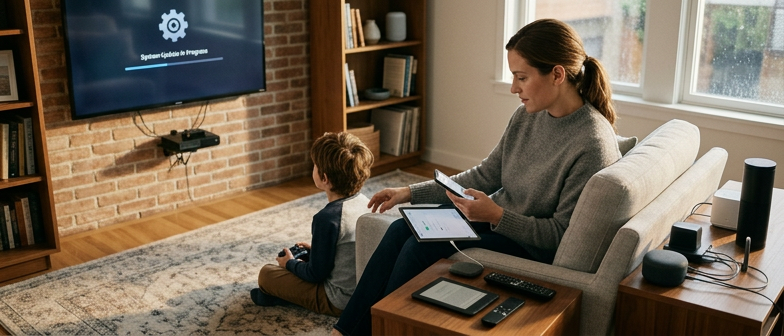
Why a Home Device Update Routine Matters
A consistent home device update routine is one of the simplest ways to keep everyday technology dependable and secure. Phones, laptops, smart speakers, routers, and even connected appliances all rely on software that needs regular attention. When you treat updates as part of a basic digital maintenance schedule, you reduce the chances of glitches, improve performance, and make it harder for common cyber threats to affect your home network. Rather than reacting only when something breaks, you set up a calm, predictable rhythm for keeping devices in good shape.
This kind of routine also strengthens overall device security maintenance and supports safer software update habits. By planning when and how updates are installed, you can check what each update changes, confirm that it comes from a trusted source, and choose settings that balance convenience with control. Building this structure into your week or month helps protect personal data, keeps smart home features working as expected, and lays the groundwork for the rest of this article, which will look at practical steps for safe updates, checking versions, and organizing your digital life so it stays secure over time.
Understanding Updates and Their Impact on Safety
A regular home device update routine involves several layers of software, each affecting safety in different ways. Firmware updates sit closest to the hardware in routers, smart speakers, cameras, and other connected devices. They often fix flaws that could let an attacker take control, improve how encrypted connections are handled, or patch bugs that cause crashes. Operating system updates on phones, tablets, and computers work above that, adding security features, closing known vulnerabilities, and changing how apps can access your data or local network. App updates sit on top of everything, refining how specific services behave, fixing errors, and adapting to new privacy or security rules enforced by the platform.
Good software update safety is about balance, not installing every change instantly or ignoring them altogether. Security patches are central to device security maintenance, because delaying them leaves your network and personal information exposed to known problems. At the same time, it is sensible to skim release notes, delay major system upgrades if you rely on a device for work, and run a smart device settings check to see which components update automatically and when restarts occur. By understanding what each type of update changes and choosing clear defaults, such as automatic security fixes with manual control over big feature releases, you can reduce risk while keeping your connected home stable and predictable.
| Update Type | Primary Safety Focus | Typical Disruption Level | Usual Frequency | Suggested Priority in Routine |
|---|---|---|---|---|
| Firmware | Blocking device takeover risks | Medium, may require full restart | Less frequent, irregular | High, review soon after notification |
| Operating System | System-wide security hardening | Medium to high, feature changes | Regular, often scheduled | High, apply security patches promptly |
| Apps | Fixing bugs and tightening access | Low, usually quick | Frequent, ongoing | Medium, batch review during routine |
| Security-Only Patches | Reducing known vulnerabilities | Low to medium | Periodic, tied to advisories | Very high, enable automatic install |
| Major Feature Releases | New capabilities and interfaces | Higher, possible compatibility shifts | Occasional, milestone-based | Selective, defer on critical devices |
Balancing Security, Stability, and Convenience
A good home device update routine finds a middle ground between strong protection and daily comfort. Installing every patch immediately can improve software update safety, but it may also cause bugs or restarts at bad moments. Waiting too long, however, leaves smart speakers, routers, and other connected devices open to problems that criminals might already exploit. Instead of treating updates as emergencies or something to ignore, think of them as scheduled digital maintenance, like regular cleaning or appliance checks.
To keep this balance, many people turn on automatic updates and add simple safeguards to reduce disruption. They pick times when devices are rarely used, such as overnight, and they quickly review major changes before approving them on critical equipment like home Wi‑Fi or security hubs. This predictable routine keeps devices close to current, supports overall device security, and still keeps home technology stable and convenient to live with.
Planning a Practical Digital Maintenance Schedule
A practical digital maintenance schedule starts with a clear overview of what lives in your home: laptops, phones, smart TVs, speakers, routers, and other connected gadgets that rely on software. Instead of trying to monitor everything every day, group devices by how critical they are and how often they usually receive patches. Devices that manage your internet connection or store personal data can be checked more often, while entertainment or utility devices can follow a slower rhythm. This turns your home device update routine into a manageable habit rather than a stressful, one-off cleanup when something goes wrong.
Once you know what you have, decide on a regular timetable and record it in a calendar or simple note. A monthly digital maintenance schedule works well for many households and keeps the workload small: one quick session to look for software updates, remove unused apps, and confirm that devices still use strong passwords. To keep things realistic, focus on a few high-impact checks, such as confirming that your main devices are on current versions and that automatic update features are set the way you prefer. A predictable pattern makes it easier for everyone in the home to understand when updates are likely to happen.
Automatic update planning can make this routine smoother. Many devices and apps let you choose when they install new versions, so you can schedule downloads for times when the network is less busy and you do not need the device. You might allow overnight updates for your phone and tablet while reserving manual checks for your router or smart home hub. Reviewing these settings during your scheduled maintenance session helps you balance convenience and control, reducing interruptions while keeping your home systems reasonably up to date.
Choosing the Right Frequency for Checks
When you build a digital maintenance schedule for your home, the aim is to match the check-up frequency to the risk and how often you rely on each device. High‑impact items such as routers, smart locks, security cameras, and main phones or tablets usually benefit from a quick review every month to confirm software updates are current and basic security settings still make sense. Lower‑risk devices, like smart lights or speakers that hold little personal data, can often be checked every few months as part of your broader device security maintenance routine, as long as automatic updates are enabled and you glance at alerts when they appear.
Smart Settings, App Habits, and Automatic Updates
A consistent home device update routine starts with a quick check of your smart device settings. Many speakers, cameras, thermostats, and plugs have separate options for security, data sharing, and software updates. During regular device security maintenance, open each device’s app or web dashboard and confirm that password protection, two-factor authentication, and secure remote access are turned on where available. Also review what information the device collects and shares, and turn off any connections or data options you do not use so the system stays lean and easier to manage.
Habits around app versions matter as much as the devices themselves. When you review apps that control locks, cameras, or other sensitive equipment, read the update notes so you can spot security fixes and reliability improvements. Making version checks part of your routine helps you decide which updates to install right away and which ones to delay briefly. Removing unused apps that still connect to your home devices further reduces risk and keeps ongoing security maintenance simpler.
Once your settings and app habits are in good shape, plan how automatic updates should run across your home. Automatic update planning means balancing convenience and control: for critical security devices, you might allow updates to install automatically but schedule them for times when you are home to confirm everything works. For less important devices, you may prefer alerts first, giving you time to read what is changing before approving. Recording these choices in a simple digital maintenance schedule, such as recurring reminders or a shared note, helps your home stay current without constant manual checks.
Q&A
-
Why does having a regular home device update routine matter?
It keeps phones, laptops, and smart devices more secure, reduces glitches, and helps your home network stay stable by treating updates as routine care rather than emergencies. -
How do updates improve software safety on my devices?
Firmware, operating system, and app updates fix known flaws, improve encryption, and adjust permissions so data, network access, and core functions are better protected. -
How can I balance security, stability, and convenience when updating?
Allow security patches to install promptly, but schedule restarts and larger feature updates for low‑impact times so your devices stay protected without interrupting daily use. -
What is a simple digital maintenance schedule I can follow at home?
List your devices, group them by importance, then review critical items like routers and main phones monthly, and lower‑risk gadgets every few months or when alerts appear. -
Which smart settings and app habits help keep devices secure?
Enable automatic updates where possible, use strong passwords and two‑factor authentication, review data‑sharing options, and remove apps or connections you no longer need.