Building a Safe Home Device Update Routine
When your phone, laptop, router, and smart gadgets all rely on constant connectivity, a clear home device update routine becomes basic digital hygiene. This guide shows how to plan safe software updates, automatic scheduling, and regular settings checks without turning maintenance into a full‑time job.
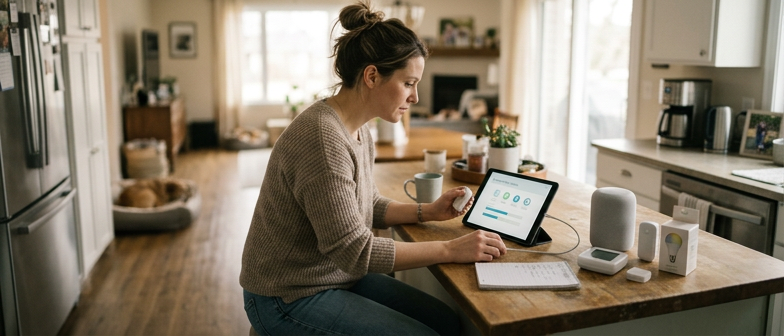
Why a Home Device Update Routine Matters
A consistent home device update routine is less about chasing the latest features and more about basic digital hygiene. Phones, laptops, routers, and smart home gadgets all run software that needs regular attention to stay reliable. When developers release updates, they often fix flaws that could affect stability or open the door to unwanted access. Treating updates as part of everyday life, rather than an occasional nuisance, turns them into a simple form of device security maintenance that helps keep your household technology running smoothly over time.
Building a light digital maintenance schedule makes these tasks easier to manage and safer to handle. Instead of installing every update the moment it appears, you can set aside a regular time to review them, check what is changing, and apply them when you are ready. This kind of routine supports software update safety, because you are less likely to rush, tap through prompts without reading, or miss important notices. Over weeks and months, a calm, predictable pattern of checking for updates, confirming settings, and restarting devices when needed can reduce disruption and help protect your everyday digital environment.
Foundations of Safe Software Updates
A safe home device update routine starts with treating every update as a security choice, not just a convenience. Confirm that notifications come from the device’s built‑in system or an official app store, not from email links, pop‑ups, or text messages. Skim the release notes so you know whether the update fixes security issues, adds features, or changes settings. When possible, schedule updates for times when you do not urgently need the device, so you can watch the process and avoid interrupting work, streaming, or household routines. These simple checks keep software update safety practical and easy to repeat.
Device security maintenance also means planning so updates are predictable instead of disruptive. For critical systems like routers, smart locks, or main phones, back up important data before major upgrades and make sure the battery is charged or the device is plugged in to prevent failures mid‑update. Build a regular home device update routine by reviewing update settings every few months, confirming that automatic patches are enabled where appropriate and that devices you no longer use are either updated or securely retired. By combining source verification, basic preparation, and periodic checks, you keep home technology current without adding unnecessary risk or complexity.
| Checklist Item | Why It Matters | When to Do It | Priority |
|---|---|---|---|
| Confirm update source | Reduces risk of fake prompts | Before every update | High |
| Skim release notes | Sets expectations for changes | Before installing | Medium |
| Schedule low‑impact time | Avoids work or streaming disruption | For larger updates | Medium |
| Plug in or charge devices | Prevents failures mid‑update | Before system upgrades | High |
| Back up important data | Limits impact if something goes wrong | Before major changes | High |
| Review automatic update settings | Keeps devices current with less effort | Every few months | Medium |
Practical Safety Checks Before and After Updating
Before you run any update in your home device update routine, confirm it comes from the official app store or the device’s built‑in update menu, and quickly scan the release notes so you know what is changing. For safer software updates, make sure your Wi‑Fi uses a strong password, back up important photos or documents, and review what permissions the app or system is asking for, especially access to the microphone, camera, or location, so security settings match your comfort level.
After installing an update, restart the device if it does not do so automatically, then check that key protections such as the screen lock, encryption, and sign‑in alerts are still on. Spend a minute in the settings to confirm automatic updates are set the way you prefer, that only trusted accounts are signed in, and that no unfamiliar apps or services appeared.
Reviewing App Versions and Smart Device Settings
A consistent home device update routine should include regular checks on the apps and services connected to your devices. Simple app version review habits, such as looking for updates in your phone’s app store once a week, help ensure that security fixes and performance improvements are installed promptly. Treat this as part of ongoing device security maintenance, not just something you do when a problem appears. Keeping core apps like smart home controllers, password managers, and browsers current reduces the chance that known vulnerabilities remain on your devices for long periods.
Alongside updating apps, review their permissions and their access to your smart home. During a planned smart device settings check, open each key app and confirm that it only has the permissions it genuinely needs, such as location or microphone access when they are clearly related to its function. Removing unused apps and disconnecting services you no longer rely on reduces the number of potential entry points into your home network. This tidy-up supports device security maintenance without requiring advanced technical skills.
Smart speakers, cameras, thermostats, and other connected devices also benefit from periodic configuration reviews. Every few months, sign in to each device’s settings to confirm that default passwords have been changed, remote access options match your comfort level, and automatic updates are enabled when available. Folding these checks into a broader digital maintenance schedule keeps security tasks manageable and predictable. Over time, this steady rhythm of reviewing versions, tightening permissions, and confirming configuration choices becomes a natural part of how you look after technology in your home.
Smart Device Settings to Revisit Regularly
A simple digital maintenance schedule for your home devices should include a regular review of key settings on smart speakers, cameras, thermostats, and plugs. Start with privacy and permissions: check which apps, voice services, or third‑party integrations are linked, and remove anything you no longer use. Next, review what data the device stores or shares, such as voice recordings or video clips, and adjust retention options so information is not kept longer than needed. Finally, confirm that time, location, and network settings are still correct, because these influence update behavior, automation rules, and the overall reliability of your home device update routine.
Planning Automatic Updates in a Home Environment
A clear plan for automatic updates is one of the easiest ways to keep a home full of devices safe without turning maintenance into a daily chore. Instead of letting every phone, laptop, and smart device decide on its own, start by mapping what is on your home network and which items matter most for software update safety. Operating systems on computers and phones, plus routers and core smart home hubs, deserve the strictest routines because they control how other devices connect and communicate. Once you have a basic home device update routine, you can group similar products, such as media boxes or smart speakers, and give them consistent rules so that updates happen in a predictable way across the household.
Balancing convenience, control, and reliability means relying on planned automation rather than constant manual checks. For key devices, you might enable fully automatic installation but schedule it for quiet hours when you are unlikely to be using them, reducing interruptions and surprise restarts. For less critical equipment, you can allow automatic downloading while keeping manual approval for installation, which lets you skim release notes and confirm that updates come from trusted sources before they run. This mix supports better software update safety and turns patching into a regular part of digital maintenance instead of an emergency reaction when something goes wrong.
Q&A
-
Why keep a regular home device update routine if everything seems fine?
Updates silently fix security flaws, boost stability, and protect routers, phones, laptops, and smart home gear. Treat them like digital hygiene to cut the risk of break‑ins and keep devices dependable. -
How can I check if a software update is safe?
Use only the device’s update menu or official app stores, not links in emails or pop‑ups. Skim release notes, and if anything looks odd, wait and confirm details on the developer’s official site. -
What should I review before and after updating smart devices?
Before updating, back up key data, use secure Wi‑Fi, and check requested permissions. Afterward, revisit privacy settings and test cameras, microphones, and location controls. -
How often should I review app versions and device settings?
A short weekly review works well. Look for pending app updates, trim unused apps, and confirm that your browser, password manager, and smart device apps are current. -
What is a simple way to plan automatic updates at home?
List your main devices and turn on scheduled automatic updates for operating systems, routers, and hubs during low‑use hours, grouping similar devices to run in the same window.